Good afternoon everyone, and welcome to today's Health Solutions Webinar hosted by Patagonia Health. Today's webinar topic is ransomware in healthcare. My name is Dayna Riddle and I will be your moderator for today.
If you are not familiar with the GoToWebinar platform, look for the communications box on the right side of your screen. All attendees will be muted throughout the presentation. This box is your way of letting us know if you have a question. We would love to answer any of your questions. If you have any during the presentation, please enter them into the questions field in this box and we will address them at the end.
Please take a moment to read this disclaimer. Always remember that attorneys have the last word.
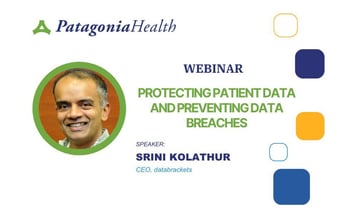
Our presenter today is Srini Kolathur. He is the Director of Databrackets, which provides cybersecurity solutions to achieve regulatory compliance. We are happy to have him join us to share his expert knowledge on ransomware and security for health organizations.
Thanks, Dayna. Thanks for the opportunity to present in front of your audience.
My name is Srini Kolathur and we are very, very excited to be here. As the slide indicates, I am one of the directors here at Databrackets. We have been in the cybersecurity assessment, compliance, and managed security space for a while now. I come mostly from the technology side and, more specifically, from the infrastructure side of things.
I am proud to call myself a Rotarian and I also have a lot of interest in healthy living and yoga and whatnot.
That is a little bit about myself. Dayna, thanks again for the opportunity. I think we already kind of covered what we do at Databrackets.
About Databrackets and Credentials
Primarily, we are in cybersecurity and compliance. As you can see, some of the credentials are published here. We are proud to be part of an IAS-accredited organization as well as an accredited organization in other frameworks.
What that essentially means is all of our assessment processes and procedures that we follow, in terms of doing assessments of our customers, have been approved by third parties. We have standard SOPs, policies, and procedures for how we do everything. This not only helps us maintain consistency, it also demonstrates our expertise in terms of what we do.
Most of our folks who are auditors as part of our assessments have certifications. CISSP is one of the crown jewels in the industry when it comes to cybersecurity. Many of our consultants have CISSP certification, as well as some of the other certifications that are published here.
Overview of Services
In terms of some of our services, I know this is a pretty busy slide, but based on the folks who joined us today, I know most of you are from the healthcare industry.
We started off by doing HIPAA assessments for a lot of companies, especially around 2010, when HIPAA compliance became a pretty big deal for many healthcare practices. That is when we started doing HIPAA assessments and now we have expanded our services into many other areas as well, although HIPAA is still the majority of our business.
We have also expanded into managed security. Security, as you all know, is not a one-time effort. It is a continuous effort. So what we are doing is offering a managed security service where we can:
- Continuously monitor your environment
- Alert your team when issues arise
- Support you if there are any incidents
For example, related to today's topic, ransomware attacks. In case you have to go through the unfortunate experience of a ransomware attack, we will be able to help you navigate that journey and make sure that your loss is minimized.
Of course, we also offer other services. If you are interested in learning more about some of our other services, please visit us at databrackets.com.
Services for Healthcare Organizations
As I mentioned, specifically for the healthcare industry, we have put together a list of services that might be of interest to you. Go through this listing, especially:
- Staff training
- Customized policies and procedures
- Security risk assessments (for example, the MIPS security risk assessment that providers and hospitals are required to do every year)
- Penetration testing
- Vulnerability scans and other services
Partnership with Patagonia Health
Especially when it comes to Patagonia Health, we have been partnering with Patagonia Health for quite some time now. For Patagonia Health customers who are using the cloud-based Patagonia Health solution, what we do is a comprehensive security risk assessment.
Many customers think that if they have a cloud-based software, they do not need their own in-house security assessments and security practices. That is a myth in the industry. You are still responsible, as a customer, for everything that is handled within your environment, including your end devices, such as:
- Laptops
- Phones
- Other devices
- Printers
- Wireless routers and whatnot
Although you might be using a cloud-based system, you are still responsible for managing the data that is handled, processed, and transmitted from your physical location. That is what we do as part of our comprehensive security risk assessment.
The software itself comes as is. You need to configure it, especially with respect to security, according to your requirements. For example, some of you might have a very strong password requirement, like a 10-character minimum, and rotating passwords every 90 days versus 180 days, which is more standard in the industry. Those kinds of things we can set up and make sure they are configured not only for your onsite users, but also for your remote users who are connecting from home or remote locations.
The security risk assessment report that we provide is often submitted for some of your other compliance requirements as well, apart from HIPAA, such as:
- NCQA
- MIPS and MACRA attestation
Of course, the vulnerability scan is something you do on your network, whether you are using a cloud-based system or have in-house, on-prem systems. You need to complete this vulnerability assessment scan according to HIPAA requirements.
We are also a certified third-party pen testing company, so we can come in and do penetration testing and see how hackers would see your environment from the outside, based on publicly available information and based on other details they can identify about your external-facing systems. That is what we do as part of our pen testing engagements: figure out what exactly outsiders would see.
Policies and procedures are becoming really key, not only for reducing your business liability, but also for being able to respond if you go through some kind of incident. The first thing the insurance company is going to ask for is:
- Your policies and procedures
- Your training records
- Details that show all your staff have gone through the policies and procedures, understand them, and have acknowledged them
Those are the things we do as part of this. Any new technical implementations or integrations you are thinking about, we can also look at those from a security perspective, wearing our security and compliance hat, and advise you on that as well.
Poll and Real-World Context
Great, thanks Srini. I am actually going to send out a quick poll to everyone listening. If you have a second, please jump on and answer this:
Do you know of any health organizations that have been affected by ransomware? Anyone you know personally? Anyone you have heard about in the news?
So as you can see, most of us have heard of health organizations that have been affected by ransomware.
Here are a few headlines I have seen over the past few months, but these are just the beginning. With a quick Google search, you can see the hundreds of organizations that have been affected.
Before I go on, I want to make sure we are all on the same page here.
What Is Ransomware?
What is ransomware? Ransomware is malicious software that can enter your system, making files and data inaccessible.
Cybercriminals often demand a ransom payment in exchange for organizations to get their data back. It can spread through emails, links, or compromised websites, causing significant disruptions and financial losses.
Do you have anything to add on that, Srini?
Additional Context on Recent Incidents
Yeah, absolutely. A couple more things I wanted to add is that the examples shared here are not the only ones we are hearing about in the industry. There are quite a few.
To give you a little more context, especially for the community healthcare system example, the devil is in the details, as they say. If you really look at some of these incidents, why they occurred, and what the root cause was:
- The community healthcare incident happened through a third-party software called GoAnywhere.
- This software was using technology that had a vulnerability open only for two days.
Hackers are constantly doing testing. They are trying to figure out whether there are any vulnerabilities or zero-day attack options available on systems that are connected to external networks.
Using that vulnerability, they were able to install software that gave them access to a lot of sensitive data. That is a pretty big deal. It is not just the software you directly use that needs to be protected, but also third-party software that you use within your environment. Those need to have all the latest patches installed too.
The MCNA issue, the Managed Care of North America incident, involved close to about 10 million records that were compromised. An interesting thing there is that this was again a ransomware attack. Hacking groups are becoming very professional. They all have names and they are pretty open about what they do.
They requested around 400 or 500 thousand dollars for releasing the encrypted data. The way it works is that once you are attacked by ransomware, the only way to get your data back is to obtain the key that was used to encrypt your data. That decryption key is known only to the hackers. To get that key, the organization needs to pay the ransom. That is where the name “ransomware” comes from.
In that case, MCNA denied the request, and the hacking group ended up publishing about 50 percent of the data they had stolen from MCNA. That was very interesting and important to be aware of.
It is still not strictly illegal, in the sense that there is not yet a clear universal prohibition on ransom payments, but this is happening in the industry. A lot of organizations, after they get attacked by ransomware, do pay these groups to get the decryption key and recover their data. Even the FBI and other agencies do not advise making ransom payments, but they cannot completely prevent you from doing so if you decide to go that route.
Another example is a clinical research lab incident. They had very sensitive data and are now going through a class action lawsuit.
In another case, an organization lost what you might call its “crown jewels,” the database containing all patient data, Social Security numbers, and health-related information. They ended up losing an archived database. That means they had real-time data and also archived data that they hoped they would not need but might have to refer to someday. They lost that archived database, which was not encrypted. That was the issue in that center’s data breach. The bad actors got hold of all that sensitive information.
One more example, which I think is important for all of you from the healthcare side, is Tallahassee Memorial Healthcare. They got hit by ransomware in early 2020. They had to stop pretty much all their non-emergency procedures because of the ransomware attack. They are still trying to figure out the details. A lot of times you cannot even identify the real source of where the ransomware attack originated.
From the latest information we received, they are still investigating that particular issue. They do not yet know the root cause. Millions of patients’ data were affected, and they had to shut down all non-emergency procedures.
These are just some examples that give you context on why you need to think seriously about ransomware and how real it is.
Why Healthcare Workers Need to Understand Ransomware
Thanks so much for those comments.
It is important not only to know that your EHR is secure, but also that your third parties are secure. That is a great point.
I just want to go over why it is important for every healthcare worker to understand ransomware. We kind of talked about that before, but healthcare organizations are prime targets for ransomware attacks because their systems host a wealth of sensitive personal health information files.
It is important to recognize that any health organization is potentially at risk. So this is important for everyone to be aware of.
You really need to know why ransomware matters and how it works for three main reasons:
-
So that you are prepared
Your organization should be prepared for potential ransomware attacks. If you understand what to look for, you can identify where your organization is most vulnerable. Then you can look for software and implement cybersecurity measures to protect your patients' data, such as:
- Two-factor authentication
- Disaster recovery policies
- Frequent system backups
- Two-factor authentication
-
So that you can protect your patients' data
Understanding ransomware is crucial for strengthening data protection protocols and ensuring the confidentiality, integrity, and availability of sensitive patient information. -
So that you can fulfill compliance requirements
Along with federal laws, many states have specific regulations to keep patient data safe. Following data privacy laws helps your organization avoid legal problems and financial issues, and maintain the trust of patients and the community.
It is important to make sure you know your state regulations, because not all EHR, healthcare solutions, or third-party solutions are up to date on the latest security certifications or state-specific privacy regulations.
Some certifications to look for, just as a small list of many, include:
- Cures Act certification
- HITRUST
- HL7 compliance
I would encourage you to find out if your systems are as certified as they should be.
Srini, do you have anything on this slide?
Reinforcing the Importance of Protection
No, I think we covered that in the previous slide in terms of some of the real-time examples that are happening. I definitely think most of the folks on the call understand the importance of protecting themselves from ransomware attacks. Otherwise, they would not be on this call today. So yes, definitely.
I am definitely preaching to the choir here. Thanks for being here today.
The next slide, I am going to turn it back over to Srini, who can explain how ransomware enters healthcare systems and some security best practices to avoid it.
How Can We Help Your Organization?
Protect systems from ransomware threats
What Is Ransomware, Technically?
So, before we really get into the sources of ransomware or how ransomware is getting into systems, whether healthcare, critical infrastructure, or financial industries, the methodologies are very similar.
Let us take a step back and try to understand what ransomware is.
At a high level, ransomware is essentially malicious software. Some people call it malware. It leverages encryption technology. It could be encryption built into the system that it is attacking, or it could be some external encryption algorithm.
The attackers encrypt the data that you have, and then they extort organizations for substantial ransoms. Once you pay the ransom, theoretically, you are supposed to get access back to the encrypted data by receiving the decryption key.
So the process looks like this, at a very high level:
- Malware is downloaded or introduced through some source.
- The data on your system, such as patient data or other sensitive data, is encrypted.
- The attackers hold the decryption key and demand a ransom.
- If you pay, you are supposed to receive the decryption key and use it to decrypt your data.
There are a lot of gray areas. For example:
- Whether the data leaves your environment
- Whether the data stays within your premises but is just encrypted
- Whether some third party has accessed the data
All of that depends on the type of ransomware used and the forensic investigation that is done afterward.
The Evolution of Ransomware
If you really look at the history, ransomware started out as relatively simple extortion targeting individual users. Now it has become a complex industry.
There are:
- Professional groups doing ransomware attacks
- Platforms known as “ransomware as a service”
- Affiliate programs around these platforms
The reason I am sharing this is that ransomware is not only becoming more prevalent, it is also becoming easier and simpler to execute. There are many platforms available that allow someone with relatively little technical expertise to use ransomware resources to exploit a company.
We do not have time in this session to cover everything, but if you are interested in reading more, you can look up ransomware as a service platforms online and see how they operate.
How Ransomware Enters Systems
As Dayna pointed out, there are quite a few ways ransomware can enter systems. These are some of the most commonly known sources, especially in healthcare:
1. Phishing and Social Engineering
This is still the largest source in terms of percentage. The way it works is:
- You receive an email from what looks like a trusted source.
- You click on a link or open an attachment.
- That attachment contains a payload that initiates the ransomware process.
For example, you might get an email saying it is from a reputable agency and that there is an invoice pending, with a PDF attached. Most of us try to settle invoices quickly. If you are curious and click on the attachment, the payload is launched. That action initiates some download onto your device.
Once the malicious software is installed, most of what happens next is silent:
- The malware starts to look at all the files on your device.
- It looks at files on connected devices on your network.
- It decides what to encrypt or what data to target.
Some ransomware is “noisy” and tries to encrypt everything. More sophisticated ransomware looks specifically for sensitive data and encrypts that.
All of this originates from phishing or social engineering techniques that trick you into initiating the malware install.
2. Exploiting Vulnerabilities
These attacks also rely on vulnerabilities:
- Vulnerabilities in your operating system
- Vulnerabilities in software that you are using
If systems were perfect and had no vulnerabilities, attackers would not have a way in. But most systems are developed by humans and have vulnerabilities. That is what attackers exploit.
3. Third-Party Software
As we discussed with the community health system incident, ransomware can be introduced through third-party software:
- A third-party application like GoAnywhere is installed.
- The software has an unpatched vulnerability.
- Attackers exploit that vulnerability to introduce malware and access sensitive data.
4. Removable Media
Even though usage is decreasing, especially as cloud storage increases, healthcare still deals with:
- CDs
- Thumb drives
These are used to share images like X-rays or other digital images and can also be a source of malware.
5. Internet-Connected Devices
Internet-connected devices are everywhere now:
- Medical devices
- Wearable devices
- Other connected equipment
These can also become entry points if not properly secured.
6. Remote Desktop Protocol (RDP)
One of the most prevalent ransomware attack vectors is RDP (Remote Desktop Protocol):
- Microsoft provides RDP access for remote desktop connections.
- Attackers scan external-facing IP addresses to find open or weak RDP services.
- If RDP is not properly patched or protected, it can be exploited.
We know of incidents where ransomware originated through RDP access that was provided by organizations to their employees or contractors.
These are some of the major sources of ransomware attacks, especially in the healthcare space.
Security Best Practices
In terms of security practices, there are quite a few things you need to do. I would summarize this slide as follows:
There is no silver bullet.
There is no single solution to protect your organization or your data from ransomware. It is going to be a combination of many things, some of which are highlighted here.
Technology and Endpoint Protection
Technologies are rapidly maturing, and as they do, hackers are also getting more sophisticated. Everyone, including hackers, has access to AI technologies and other advanced tools.
You have to make continuous investments in upgrading your technologies.
A couple of key areas:
-
Endpoint Protection
Most ransomware attacks originate from a user doing something risky or unintentional. You want technology that protects users from making those mistakes.
Endpoint protection typically combines:
- Anti-malware capabilities
- Behavioral analysis of processes running on the system
- Anti-malware capabilities
- If a process starts trying to access a lot of files and it is not a known, trusted process, endpoint protection software will flag it. Using AI and up-to-date cloud-based threat intelligence, these tools can:
- Quickly identify suspicious behavior
- Quarantine the process
- Isolate affected files
- Even isolate the machine from the network
- Quickly identify suspicious behavior
- Backups are critical:
- Your critical systems should be backed up frequently.
- In many places, backups are taken every hour; if you cannot afford data loss, consider backing up every 30 or even every 15 minutes.
- Backups should be isolated from the main network so that ransomware cannot encrypt your backups.
- Your critical systems should be backed up frequently.
- Some ransomware specifically tries to locate and encrypt backups too. Once backups are encrypted, you are in a much more difficult situation.
HIPAA requirements also emphasize having proper backup strategies.
Policies and procedures help you think through:
- What you will do if you have an incident
- How you will respond
- How you will fall back to paper-based systems if necessary
In many places we visit, there is no clear idea of what will happen if the main EHR system or main servers go down. Questions you need to consider:
- How will you continue to provide care?
- How will you handle emergency and non-emergency requests?
- How will you access critical information?
You should have:
- Incident response procedures
- Downtime procedures
- Tabletop exercises and testing to validate your plans
Many issues originate from end users:
- Improperly trained users
- New hires who do not yet know the policies and procedures
Hackers look for the weakest link, which is often the user.
You should:
- Provide onboarding training
- Provide ongoing security awareness training
- Test knowledge through assessments or phishing simulations
- Make sure staff are ready to handle real situations
These are key areas:
- Security technologies (endpoint protection, patching, backups)
- Policies and procedures
- Awareness and training
If you implement these, you will be covering a large percentage of the risk. The remaining risk will require more time and resources to address, and security will always be a journey, not a one-time project.
Additional Resources
We have several blogs on this topic, including:
- How to detect and prevent ransomware
- The different sources of ransomware
- What you need to do if you are attacked as a HIPAA-covered entity
These links will take you directly to specific blogs. I am pretty sure Dayna will be sharing these resources with you after the session. Please feel free to click on the links and read more about the concepts and technologies we are talking about.
Frequently Asked Questions
What we did is put together some frequently asked questions. I know there were quite a few questions submitted during the registration process. Thank you for submitting them. We consolidated those into a few questions. We will go through answering them first, and then if you have more questions, feel free to send them using your chat window and we will be happy to answer.
Can HIPAA-Compliant Organizations Still Have a Cyber Attack?
I think the answer is pretty straightforward: yes.
All of the examples that Dayna shared in the very first slide involved organizations that were supposed to be HIPAA compliant. They still got attacked by ransomware.
In my mind, the more important question is:
If you get attacked by ransomware, do you still need to report to HHS?
It depends on:
- How you were attacked
- What kind of data was compromised
- What approach was used for encrypting the data
- Whether the data left your premises
The industry is evolving. It is not only about extortion now. Many sophisticated hacking groups are working on:
- Data corruption
- Partial encryption
Ransomware, in its traditional form, is not always the most efficient attack because:
- It takes a long time to encrypt large datasets
- It uses a lot of CPU and resources
- Good security tools can detect it as it is happening
So now attackers are:
- Corrupting data by inserting bad bits and bytes so that the data set becomes unusable
- Focusing on partial encryption of only the most sensitive data, such as Social Security numbers or payment card data, instead of everything
In those cases, even decryption keys will not fix corrupted data. You must rely on your backups.
So yes, HIPAA-compliant organizations can have a cyber attack, and the nature of those attacks is becoming more sophisticated.
What Are the Reporting Requirements if You Are Attacked by Ransomware?
This is an interesting question. The reporting requirements for incidents, when it comes to HHS in the healthcare space, have not fundamentally changed.
The HHS Office for Civil Rights (OCR) is the agency you need to report to if there is a security incident involving protected health information.
In general:
- If more than 500 patient records from the same state are involved in an incident, you need to report within 60 days.
- If fewer than 500 records are involved, you must report by the end of the calendar year.
When it comes to ransomware, it can be tricky. In many ransomware incidents:
- The data does not leave your premises.
- The data stays where it is, but is encrypted.
If you decrypt it and recover the data, the question is whether you still need to report.
HHS has not given extremely clear guidelines on every possible ransomware scenario. To be on the safer side, and to protect clients from future issues, we generally recommend reporting the incident, along with:
- The controls you had in place
- The steps you took to remediate
In terms of reporting requirements, ransomware incidents are treated similarly to other security incidents. Based on proper forensics and investigation, we would advise clients on their specific situation, but from a high-level perspective, the timelines are the same.
Live Q&A
Thank you so much, Srini. It looks like we have time for just a few questions. I am going to read off some of the ones that were submitted during this presentation.
The first one, and you just talked about reporting, is:
What immediate action should we take if we see a ransom note appear on our user screen? If one computer is infected, will others be infected also?
What To Do If You See a Ransom Note
That is an excellent question. I probably should have covered that already.
In terms of mitigation steps, the very first thing we recommend is isolation:
- The system should be disconnected from the internal network and the internet.
That is step one. We would recommend:
- Isolate the machine.
- Do not turn it off or reboot it.
- Do not start clicking around or following the instructions on the ransom note.
If I were in that situation, I would:
- Immediately engage a professional incident response team.
- Have them investigate what kind of ransomware is involved.
- Determine whether it is a known ransomware family or something new.
Most ransomware attacks should also be reported to law enforcement.
It might be that you downloaded something malicious, but these things happen. The best way to handle it is to create visibility within the organization and make sure proper steps are taken to fix the issue.
You need to:
- Assess the damage
- Determine what data has been impacted
- Identify the scope of the attack
The main action for the user is isolation of the affected machine. The detailed response should be handled by professionals.
We have seen situations, even in small solo practice environments, where doctors are very busy and, when they get attacked by ransomware, they just follow the instructions shown on the screen. That is one of the last things we would recommend.
You should not:
- Automatically enter information
- Call the number provided to pay the ransom
We need to do additional research to see whether it is:
- A legitimate ransomware incident
- Another kind of malware pretending to be ransomware
So, to summarize:
- Isolate the machine
- Do not shut it down abruptly
- Do not follow the ransom instructions
- Engage professionals and notify appropriate authorities
Great, thank you.
Future Ransomware Trends
I think we have time for one more. This is a question we got:
What do you see as the biggest ransomware threat in the upcoming years?
Yeah, I think we touched on this a little bit.
The trends are:
- Zero-day attacks
- Data corruption
- Partial encryption
A zero-day attack means:
- There is a vulnerability in a widely used product, like Microsoft Word.
- Attackers discover and exploit it before the vendor patches it.
During that window, there is a zero-day vulnerability that can be exploited.
The second big trend is data corruption. Instead of just encrypting data, attackers corrupt it. That is more like a one-way street. Unless you have good backups, you cannot get the original data back.
Instead of full encryption of entire datasets, attackers are also:
- Smartly finding where critical data resides
- Looking for patterns like nine-digit Social Security numbers or sixteen-digit card numbers
- Encrypting only those critical pieces of data
This is partial encryption and is more efficient and harder to detect because:
- It uses fewer resources
- It can happen within minutes of the malware being downloaded
By the time you react, the damage may already be done.
As AI and other advanced tools become more integrated into attack methods, ransomware will continue to evolve. It is not going away. That is the bad news. We need to stay on top of these issues.
Great. Thank you so much, Srini.
So that was our presentation. Thank you to Srini and Databrackets for sharing your knowledge about ransomware and healthcare organizations. We really appreciate it.
If you would like to learn more about Databrackets, email info@databrackets.com.
Patagonia Health is proud to offer secure solutions for public and behavioral health organizations. We are HIPAA, and Cures Act certified, along with many other certifications. We prioritize the security of patient data and offer additional features that help prevent ransomware attacks.
If you would like to learn more about Patagonia Health and our integrated EHR, practice management, and billing solution, visit our website at www.patagoniahealth.com.
Have a great day, everyone.
Thank you, Dayna. Thank you for the opportunity, and if you all want to chat about any of the things that we discussed today, please feel free to reach out to us. Thank you.