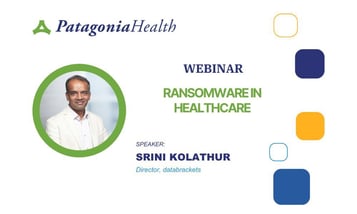
This issue is on everyone’s mind. Whether you read the news or talk to colleagues, ransomware and data theft have become a serious business. Today, I’ll share best practices, reminders, and practical tips for protecting the sensitive data that healthcare organizations handle daily.
Legal Disclaimer
This webinar is provided for educational purposes only. Please do not consider it legal advice. If you experience a data breach or related incident, consult your attorney.
About Databrackets
As Amanda mentioned, Databrackets specializes in security, risk assessments, and regulatory compliance.
We provide:
- DIY compliance toolkits
- Security consulting services
- Certification readiness assessments
- Ongoing managed compliance support
Our work covers HIPAA, HITECH, OSHA, NIST frameworks, GDPR, ISO 27001 certification, and more.
We also assist healthcare organizations with MIPS and MACRA programs, including required annual security risk assessments.
Key Terms
- PHI: Protected Health Information (not Personal or Patient Health Information)
- HHS: U.S. Department of Health and Human Services
- OCR: Office for Civil Rights, the enforcement arm of HHS
- GDPR: General Data Protection Regulation (European Union privacy law)
- HIPAA: Health Insurance Portability and Accountability Act
Why Protect Patient Data?
The importance of data protection is clear. Identity theft and financial fraud are rampant, and stolen healthcare data can be misused for reimbursement scams or other financial gain.
Most breaches occur through malware or ransomware attacks. HIPAA and HITECH require compliance if you handle patient data. State laws may impose additional or stricter privacy requirements, and you must follow whichever rule is more stringent.
Penalties and Enforcement
- HHS announces settlement cases almost every month.
- Fines range from $50,000 to millions, depending on severity and the number of records affected.
- The OCR has increased its auditing staff to handle patient complaints.
- Violations can carry civil and criminal liabilities.
Most importantly, data breaches destroy patient trust, which is difficult to rebuild.
HIPAA Structure
HIPAA has three main sections:
- Privacy Rule – Ensures patient information is shared only with authorized personnel (providers, billing, etc.) and not for unauthorized purposes.
- Security Rule – Applies to all electronic patient data and outlines specific security requirements.
- Breach Notification Rule – Details procedures for notifying authorities and patients when breaches occur.
Other Relevant Regulations
Beyond HIPAA and HITECH, organizations may also need to comply with:
- GDPR (European Union)
- New York Data Privacy Regulation (mainly for financial industries)
- California Consumer Privacy Act (CCPA)
- PCI DSS (for handling credit card payments)
Each of these frameworks focuses on protecting sensitive data and enforcing accountability
What Is Considered Sensitive Data?
HIPAA defines 18 identifiers (e.g., name, address, phone number, birth date, etc.) that, when linked to medical information, become PHI.
- PHI includes combinations such as patient names with diagnoses, treatments, prescriptions, or payment information.
- Isolated identifiers (e.g., a name alone) are not considered PHI unless paired with health-related data.
HIPAA Violations and Penalties
Penalties are calculated per record.
For example, if a laptop containing 10,000 patient records is lost, fines could exceed $1,000,000.
Tip: Consider cybersecurity insurance, but note that insurers usually require annual security risk assessments and proof of best practices before covering losses.
Reporting a Breach
- Breaches involving 500 or more records must be reported to HHS within 60 days of discovery.
- Breaches involving fewer than 500 records can be reported by year’s end.
- Some states have stricter timelines (e.g., California, Massachusetts, Texas).
Core Principles of Data Protection
Information security rests on three pillars:
- Confidentiality – Limit access to authorized users only.
- Integrity – Ensure data can only be modified by authorized personnel.
- Availability – Ensure data is accessible when needed for patient care.
These principles apply to data:
- In transit (being sent or received)
- At rest (stored on devices or servers)
- In use (on devices such as printers, copiers, or fax machines
Top Security Best Practices
Here are 11 key practices to protect sensitive healthcare data.
1. Strong Passwords
- Use complex passwords and change them every 90 to 180 days.
- Update Wi-Fi passwords regularly.
- Use password managers if properly secured.
2. Antivirus Software
- Keep antivirus software up to date.
- Enable automatic updates and ensure only administrators can disable protection.
3. Email Safety
- Be alert to phishing attempts.
- Never click suspicious links or attachments.
- Type URLs directly into your browser rather than clicking embedded links.
- Limit sending PHI via email unless encrypted.
- Conduct simulated phishing tests to train staff.
4. Wireless Network Security
- Avoid public Wi-Fi when accessing EHR systems.
- Always enable multi-factor authentication (MFA).
5. Mobile Device Security
- Enable password or PIN protection.
- Encrypt data on devices.
- Keep software updated.
- Use tracking and remote-wipe features.
6. Cloud Applications
- Require individual login credentials and MFA.
- Review file-sharing permissions; never share files publicly.
- Regularly audit who has access to sensitive folders.
7. Social Media
- Do not share patient information or images without written consent.
8. Device Disposal
- Sanitize and securely erase data before disposing of CDs, flash drives, or computers.
- Simply emptying the recycle bin is not enough.
9. Remote Work
- Use a VPN to connect to secure networks.
- Enable MFA and set session timeouts (15–30 minutes).
- Lock your screen when away from your workstation.
10. Physical Security
- Restrict access to rooms and devices containing PHI.
- Maintain camera surveillance and logs for accountability.
11. Data Backups
- Schedule daily or hourly backups depending on activity.
- Regularly test backup restorations.
- Store copies offsite or in the cloud for redundancy.
How Can We Help Your Organization?
Protect patient data and prevent breaches
Training and Awareness
Regular security awareness training is critical. Well-trained employees prevent most breaches.
Teach staff how to recognize phishing emails, follow safe data practices, and report suspicious activity.
Recognizing and Responding to a Data Breach
Warning Signs
- Unusually slow networks
- Unexpected login attempts
- Missing devices or files
- Complaints from patients about misuse of their information
- Altered or defaced webpages
Immediate Actions
- Notify your designated security officer.
- Disconnect affected systems from the internet (but don’t shut them down).
- Preserve evidence for forensic analysis.
- Report quickly—time is critical.
- Maintain business continuity—switch to manual or backup systems if needed.
Key Takeaways
- Government audits are real and increasing.
- Protect data not just for compliance but to maintain patient trust.
- Focus on areas containing sensitive information.
- Collect only the minimum necessary data from patients.
- There’s no single solution—security requires continuous assessment, staff training, and vigilance.
Amanda:
Thank you so much, Srini, for sharing this valuable information. It looks like we don’t have any questions right now, which must mean you covered everything perfectly!
Srini:
Thanks, Amanda, and thanks to everyone for joining.
Amanda:
Thank you all for attending. We hope to see you again at a future webinar. Have a great day!